Создатель видео с топ-списками о технологиях — стиль Tech list
Сделай видео с топ-списком о технологиях: карточка на черном фоне, крупный оранжевый заголовок и нумерованный список, который появляется вместе с голосом — для инструментов, советов и быстрых сравнений.
Included from Starter, with all 24 styles plus your own · preview rendered by the ClipOnIt engine
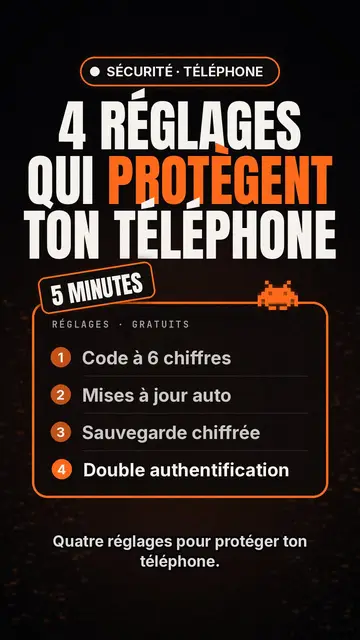
Как выглядит этот стиль
Tech list presents each scene as a card on a black background. At the top, a glowing pill-shaped badge names the category, then a huge condensed headline in white and orange fills the width. A slanted patch sits on the card, like a “NEW” or “FREE” sticker, and a small pixel art pictogram recalls the topic.
The heart of the style is the numbered list, inside a glowing orange-edged frame: each line appears the moment the voice says it, which keeps attention to the last item. A monospace header caps the card, and captions stay discreet at the bottom so the list can breathe. Instead of the pictogram, you can show a screenshot or an imported image.
Подходящие темы
Avoid: stories and emotional topics: a story does not split into numbered points. The style also shows few images, so a very visual topic (travel, nature, food) loses out. Past six items per card the list becomes hard to read: split it across several scenes.
- Top lists and tool picksThe list format is made for “5 apps worth knowing”: each tool gets its line, its number and its moment.
- Tips and settingsSteps show up one by one, readable enough to follow with your phone in hand.
- Quick comparisonsThree offers, three lines, and the slanted patch to point at the winner.
- Product updatesThe badge and orange headline feel like an announcement, handy to present the features of an update.
Идеи видео в этом стиле
- 4 settings to protect your phone
A “SECURITY” badge, an orange headline, then the four settings appearing as the voice goes.
- 5 free tools to edit your videos
One line per tool, a “FREE” patch on the card, and a screenshot for the favourite.
- Keyboard shortcuts that save you an hour
Each shortcut as a numbered line, with the monospace header styled like a terminal.
- Three subscriptions compared
Price, limit and strength in three lines per card, then a final card that settles it.
Получить в 1 клик
- Открыть ссылку на стиль
Кнопка «Создать видео в этом стиле» открывает редактор с уже выбранным стилем. Без аккаунта регистрация занимает минуту и не требует карты.
- Опиши тему одним предложением
Достаточно одной идеи. Можно также вставить текст или, в Starter, надиктовать в микрофон: видео тогда будет строиться на вашем голосе.
- Проверьте и запустите рендеринг
ИИ пишет сцены, подбирает элементы стиля и синхронизирует их со словами, добавляет озвучку и субтитры. Вы исправляете неточности, и вертикальный MP4 готов через несколько минут.
Что можно настроить
On each card you write the badge, the headline and its orange word, the slanted patch, the monospace header and up to six list lines. Swap the pictogram for an image of yours, or for other library elements placed wherever you like. The accent colour, orange by default, can be changed for your brand, and each scene keeps an editable length and narration, with three variants on request. From Starter, record your own voice and make fixes by talking to the AI Director.
Frequently asked questions
Бесплатно или нет, результат, применение: короткие ответы.
What is a top list video?
A short video presenting a numbered selection, “the 5 best…” or “4 tips to…”, one point at a time. Here, AI writes the list, splits it into cards and makes each line appear with the voice.
Can I show app screenshots?
Yes, an imported image takes the pictogram's place on the card. Use your own screenshots, and check that you may show any logos they contain.
How many items per list?
Six at most per card. For a top 10, AI spreads the list over several scenes, which keeps the pace brisk.
Этот стиль есть в бесплатном тарифе?
No, it comes with Starter ($29/month): 15 watermark-free videos a month, all 24 styles plus your own. The free plan gives 3 videos a month with a watermark in 8 other styles: Pixel News, Press paper, Comedy cartoon, Class sketch, Night tale, Social screen, Retro synthwave and Flat vector.
Если вам нравится этот стиль
- Бесплатно
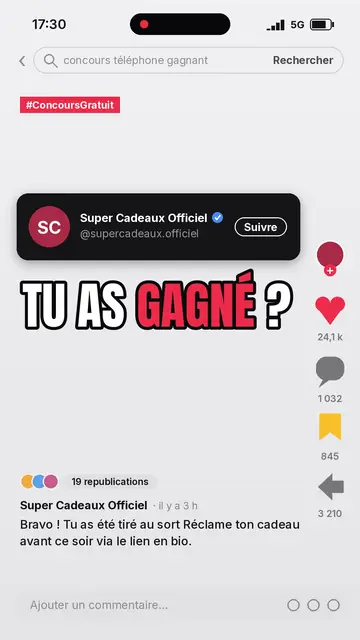
Social media explainer video
Social screen style · A recreated social feed: profile, counters, comments.
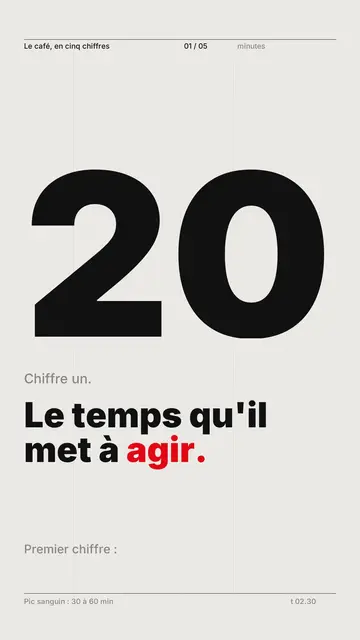
Kinetic typography video maker
Swiss grid style · Swiss typography: light paper, strict grid, giant figure, one signal colour.
Voxel animation video
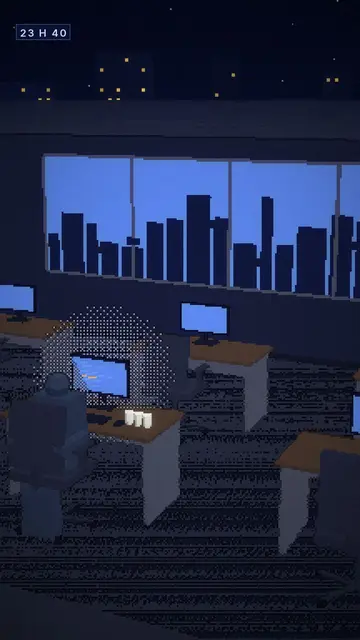
Voxel night style · Chunky-pixel 3D nights, glowing city and screens.
Ваша идея в этом стиле
Напишите предложение или продиктуйте его: стиль уже выбран, когда вы попадёте в редактор.